 Photo Vault
An uncompressed collection of 10,000 Camera Roll Photos averages roughly 29.0 GB, whereas optional lossy HEVC vault compression in PhotoVault: Encrypt & Compress typically brings a comparable mix near ~8.5 GB (saving roughly ~20.5 GB, depending on source media and settings)—which fits comfortably on iPhone 17 Pro (512 GB) (~440.3 GB usable after iOS/iPadOS system overhead).
Real Flash Storage Budget on iPhone 17 Pro (512 GB)
On iPhone 17 Pro (512 GB), iOS 26 / iPadOS 26 system files, caches, and bundled apps leave roughly 440.3 GB of usable flash capacity. Storing 10,000 Camera Roll Photos (10,000 items) uncompressed consumes approximately 29.0 GB.
When imported into PhotoVault: Encrypt & Compress using optional lossy HEVC compression, typical storage drops into the ~8.5 GB range (~20.5 GB smaller), though exact savings always vary by lighting, grain, format, and video bitrate—no fixed percentage applies to every library.
Encrypted On-Device Compression vs 200 GB iCloud+ ($2.99/mo)
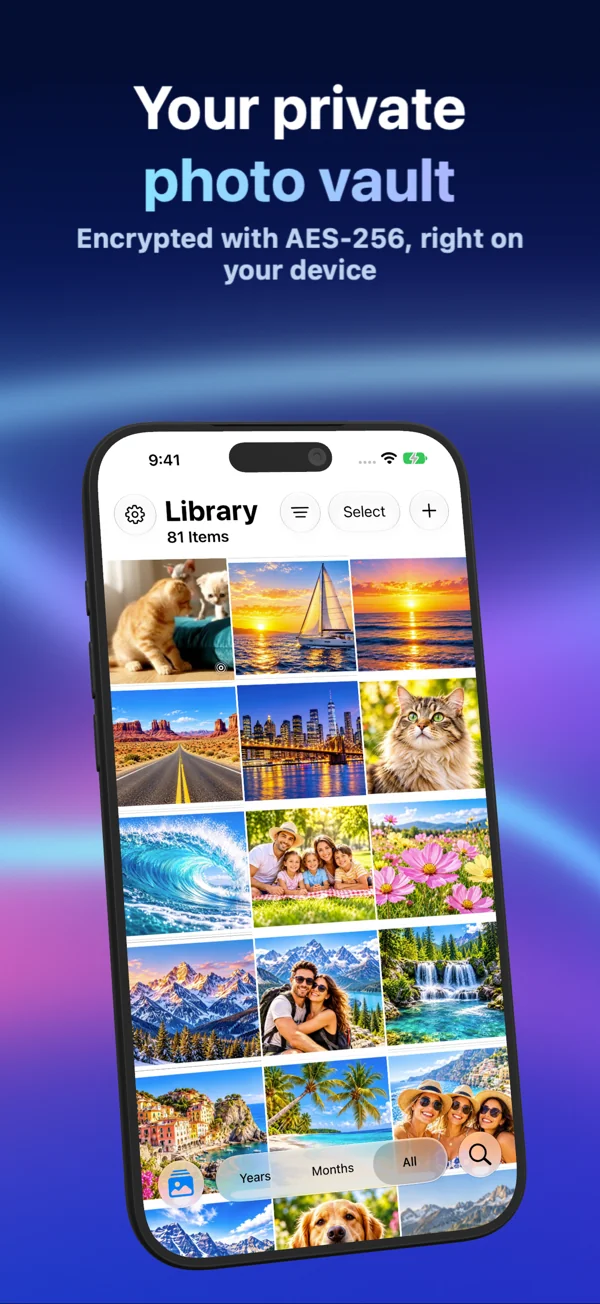
Upgrading cloud storage (200 GB iCloud+ ($2.99/mo)) bills every month and keeps personal media synced to remote servers. PhotoVault stores encrypted media and metadata locally on iPhone 17 Pro (512 GB) with Password, Pattern, or Face ID / Touch ID unlock, and is free to download ($0.00) with optional Personal and Family Monthly, Yearly, and one-time Lifetime plans.
Because lossy HEVC compression alters pixels and fine detail compared to original camera files, always inspect a sample batch (especially small receipt text or 48MP crops) and keep an independent external backup of irreplaceable originals before removing copies from Apple Photos.
Structured Comparison & Practical Trade-Offs
| Metric | Uncompressed / Cloud Tier | PhotoVault: Encrypt & Compress |
|---|---|---|
| Estimated Footprint | ~29.0 GB uncompressed | ~8.5 GB with optional lossy HEVC (~20.5 GB saved; varies by media) |
| Fit on iPhone 17 Pro (512 GB) | Fits cleanly | Fits locally with headroom |
| Privacy & Access | Synced to 200 GB iCloud+ ($2.99/mo) or exposed to passcode | On-device AES-256-GCM + custom Password, Pattern, or Face ID |
| Search & Albums | Shared with general camera roll | Encrypted OCR text search, year/month timeline, map & zero-copy albums |
| Recurring Cloud Cost | 200 GB iCloud+ ($2.99/mo) ongoing subscription | $0.00 free download; optional Personal/Family plans (incl. Lifetime) |
Safe Space-Recovery Steps on iPhone 17 Pro (512 GB)
- Check Settings → General → Storage on your iPhone 17 Pro (512 GB) to confirm available working headroom before importing.
- Use our Encrypted Vault Storage Calculator to model your exact photo/video mix.
- Import a 50-item sample of your 10,000 Camera Roll Photos into PhotoVault, measure actual archive size, and inspect visual detail and text legibility.
- Back up irreplaceable raw originals to an encrypted Mac or USB-C SSD, then remove confirmed duplicates from Apple Photos and empty Recently Deleted.
Frequently Asked Questions
How much space can PhotoVault really save on iPhone 17 Pro (512 GB) for 10,000 items?
While a typical 10,000 camera roll photos mix around 29.0 GB often compresses near ~8.5 GB (~20.5 GB saved), actual savings depend on whether sources are already heavily compressed HEIC/HEVC files, noisy night shots, or uncompressed PNG screenshots. Always measure a sample from your own library.
Why didn’t my iPhone 17 Pro (512 GB) free space increase immediately after deleting originals in Photos?
Apple Photos moves deleted items into the Recently Deleted album for up to 30 days. Only after you verify your vault and backups—and clear Recently Deleted—does iOS reclaim the flash storage.
Can I offload older vault collections if my device tier fills up?
Yes. Use Secure Share inside PhotoVault to export a password- or pattern-encrypted archive to a USB-C SSD, Mac, or NAS, verify Secure Import on a sample, and keep only active collections on your phone.
Does PhotoVault work on both iPhone and iPad?
Yes. PhotoVault: Encrypt & Compress (id6824412013) supports iPhone and iPad on iOS 26+ and iPadOS 26+, with Personal and Family plans.
Related Guides & Tools
- All iPhone & iPad Vault Storage Guides (620 Models)
- Interactive Encrypted Vault Storage Calculator
- iPhone 17 Pro (512 GB): Storing & Compressing 12,500 48MP Pro Camera Photos in an Encrypted Vault
- iPhone 17 Pro (1 TB): Storing & Compressing 10,000 Camera Roll Photos in an Encrypted Vault
- iPhone 17 Pro Max (256 GB): Storing & Compressing 20,000 JPEG & Saved Downloads in an Encrypted Vault
- Encrypted Photo & Document Vault Guides Hub
- Secure Share & External SSD Backup Workflows
- How Much Space Can a Photo Archive Save?