 Photo Vault
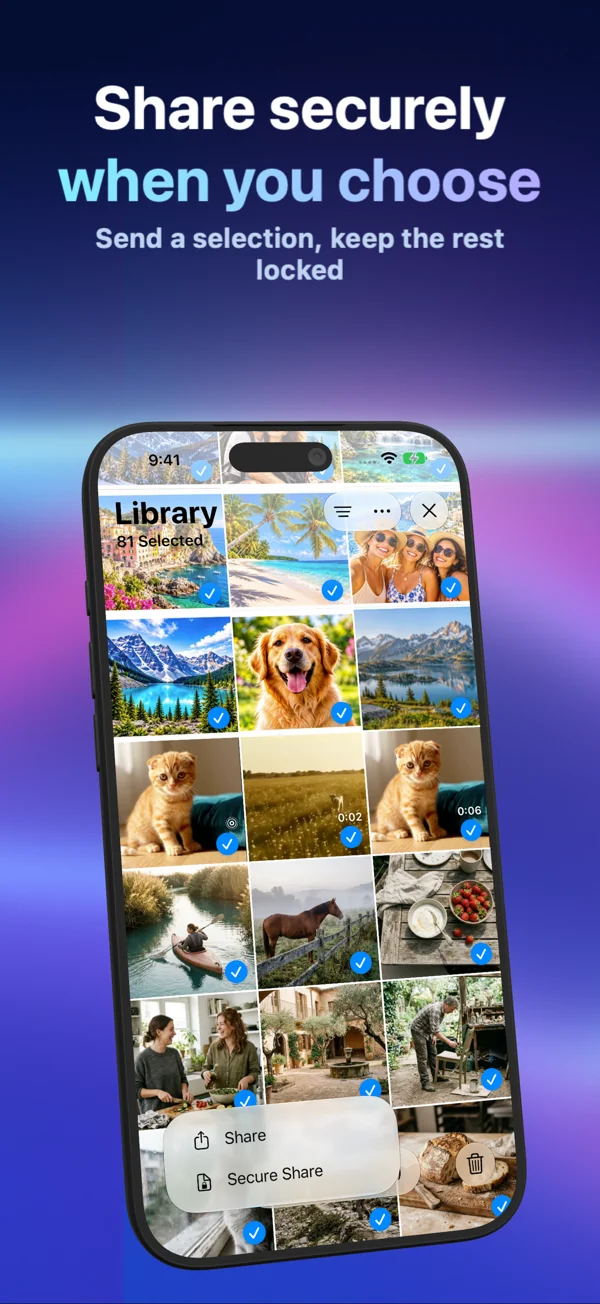
Use Share for readable media files. Use Secure Share when you want a portable encrypted archive protected by a password or pattern you choose for that file.
Create a secure archive
Select the photos or videos you want to send, open the share menu and choose Secure Share. Choose Password or Pattern, enter your chosen protection and confirm it. Wait for preparation to finish, then choose a destination from the iOS share sheet.
The resulting .pvsecure file contains the selected media and archive metadata in encrypted form. It is a file attachment, not a web link or a shared online gallery.
Open it on the receiving device
Install and open Photo Vault on the receiving device. Choose Secure Import, select the .pvsecure file from Files and enter its matching password or pattern. The imported items are added to the receiving library.
The protection belongs to the exported archive. It does not need to match the recipient’s app unlock method. Send the file and credential separately, and confirm that the recipient can open the intended items.
Ordinary Share has a different purpose
Ordinary Share prepares readable photo or video files for the selected destination. Photo Vault’s app lock does not protect those copies. Use this when the recipient needs standard media rather than an archive to import into Photo Vault.
For Live Photos, check motion at the destination. Saving a paired asset into Photos and sending an ordinary image attachment are different operations.
What protection travels with the file
Secure archives use AES-256-GCM and a key derived from the archive password or pattern. This is separate from the installation key used by your local library. Choosing a predictable gesture or password makes guessing easier.
Secure Share does not provide expiry, remote revocation, view-once access or screenshot prevention. A recipient who can open the archive can make further copies.
Keep a copy you can use
Save the archive and its credential safely. Test an import before relying on it as your only recoverable copy. An encrypted file without its working credential is not a usable backup. Secure Share does not upload a recovery copy to Arte Soft.