 Photo Vault
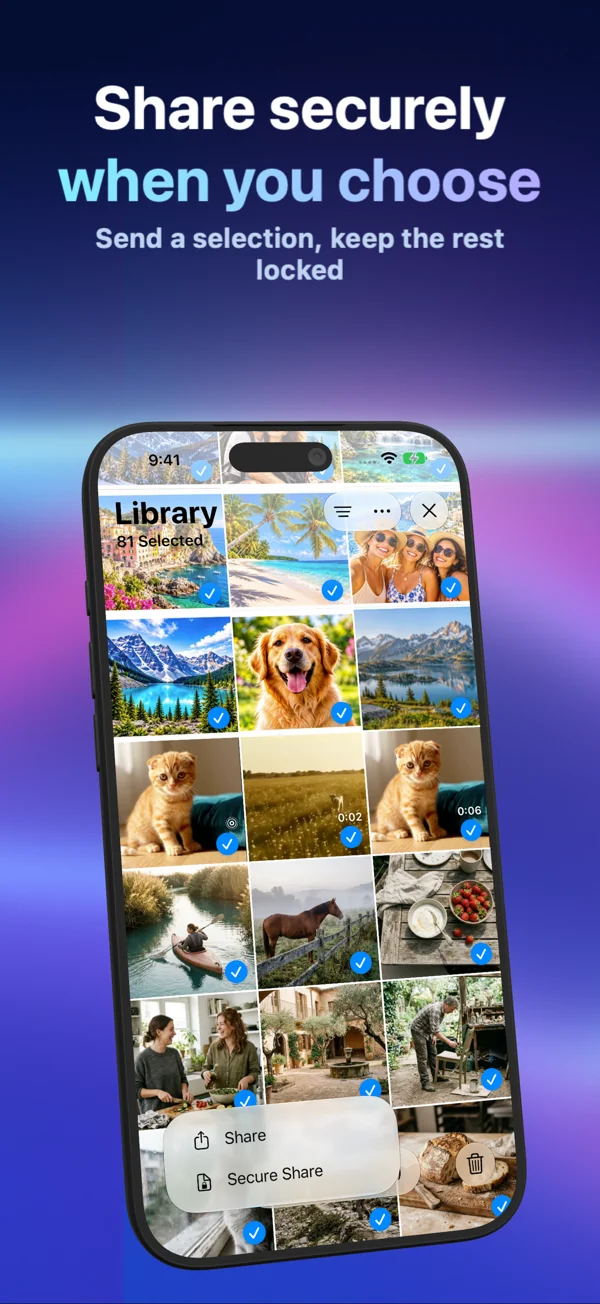
Synology Photos (Self-Hosted NAS) is an home NAS photo server requiring hardware maintenance and network configuration. PhotoVault: Encrypt & Compress (id6824412013) is an on-device encrypted iPhone & iPad gallery with Password, Pattern, or Face ID unlock, optional lossy HEVC compression, local OCR & map search, and password/pattern Secure Share archives—free to download ($0.00) with optional Personal & Family plans.
Core Architectural Difference: Encrypted Sharing, Export & Device Migration
When evaluating PhotoVault: Encrypt & Compress against Synology Photos (Self-Hosted NAS) specifically for packaging password- or pattern-protected Secure Share archives vs cloud links or raw unencrypted exports, start with where keys and copies live. Synology Photos (Self-Hosted NAS) operates as an home NAS photo server requiring hardware maintenance and network configuration.
PhotoVault eliminates provider accounts and remote gallery servers altogether: imported media and metadata are encrypted locally on your iPhone or iPad, and you decide whether to compress imports with HEVC to save device storage or retain independent originals elsewhere.
Where Each Option Fits Best (And Honest Limits)
Choose Synology Photos (Self-Hosted NAS) if your workflow specifically depends on its documented sync, platform, or account-recovery model. Choose PhotoVault: Encrypt & Compress when you want an independent app credential (Password or Pattern without device-passcode fallback), visual timeline/map/OCR browsing, optional HEVC storage reduction, and portable encrypted Secure Share packages.
Keep two transparent PhotoVault boundaries in mind: lossy HEVC compression reconstructs still images rather than preserving byte-identical originals, and because there is no Arte Soft account, a forgotten vault password/pattern or deleted device-bound archive cannot be recovered by support. Always keep independent backups of irreplaceable media.
Structured Comparison & Practical Trade-Offs
| Dimension | Synology Photos (Self-Hosted NAS) | PhotoVault: Encrypt & Compress |
|---|---|---|
| Primary Model | Home nas photo server requiring hardware maintenance and network configuration | 100% on-device encrypted iPhone & iPad gallery (no Arte Soft cloud) |
| Unlock Options | Depends on product settings / passcode or account PIN | Custom Password, Pattern, or Face ID / Touch ID |
| Storage Compression | Typically stores full source bytes or requires cloud tier | Optional lossy HEVC compression reclaims local flash space |
| Search & Browsing | Varies by folder/cloud indexer | Year/month timeline, zero-copy albums, GPS map & on-device Vision OCR |
| Encrypted Sharing | Standard exports, cloud links, or manual archives | Secure Share password- or pattern-encrypted archive packages |
| Pricing & Family | Check vendor’s current regional subscription tiers | Free download ($0.00) + optional Personal & Family Monthly, Yearly & Lifetime |
Hands-On Evaluation Checklist: PhotoVault vs Synology Photos (Self-Hosted NAS)
- Import 10 non-sensitive test photos, a receipt, and a video into both Synology Photos (Self-Hosted NAS) and PhotoVault: Encrypt & Compress.
- Lock the phone, test whether someone who knows the iPhone passcode can bypass the lock, and test background auto-lock behavior.
- Export the sample items (and test PhotoVault’s Secure Share import) to compare image detail, metadata dates, and file sizes.
- Verify an independent external backup before migrating or deleting originals from Apple Photos.
Frequently Asked Questions
How does PhotoVault differ from Synology Photos (Self-Hosted NAS) on privacy and accounts?
PhotoVault requires zero sign-up, email address, or Arte Soft cloud server—media and metadata stay encrypted locally on your iPhone or iPad. Synology Photos (Self-Hosted NAS) follows its own documented storage and account architecture (home NAS photo server requiring hardware maintenance and network configuration).
Can I migrate photos from Synology Photos (Self-Hosted NAS) into PhotoVault: Encrypt & Compress?
Yes. Export standard unencrypted photos and videos from Synology Photos (Self-Hosted NAS) to Apple Photos or Files, import them into PhotoVault collections, verify playback and visual quality, and retain an independent backup before deleting old copies.
Does PhotoVault preserve exact byte-for-byte files when HEVC compression is enabled?
No. Lossy HEVC compression reduces storage space by storing compressed representations rather than raw source files. Keep separate originals whenever byte-exact preservation matters.
Are Lifetime and Family Sharing plans available in PhotoVault?
Yes. PhotoVault is free to download ($0.00) and offers optional Personal and Family Monthly, Yearly, and one-time Lifetime plans on the App Store.
Related Guides & Tools
- Compare All Photo Vault & Cloud Options
- PhotoVault vs Synology Photos (Self-Hosted NAS): Free Download, Lifetime Option & Family Plans
- PhotoVault vs Immich Self-Hosted Server: Encrypted Sharing, Export & Device Migration
- Encrypted Vault Guides Hub (1,120 Guides)
- Secure Share & Migration Workflows Hub
- iPhone & iPad Vault Storage Breakdowns
- Encrypted Vault Storage Calculator